From the stacks
Your A-Z Database List Deserves Better Than Letter Tabs
It is one of the most-visited pages your library runs and one of the most tedious to maintain. Introducing RefBytes A-Z.
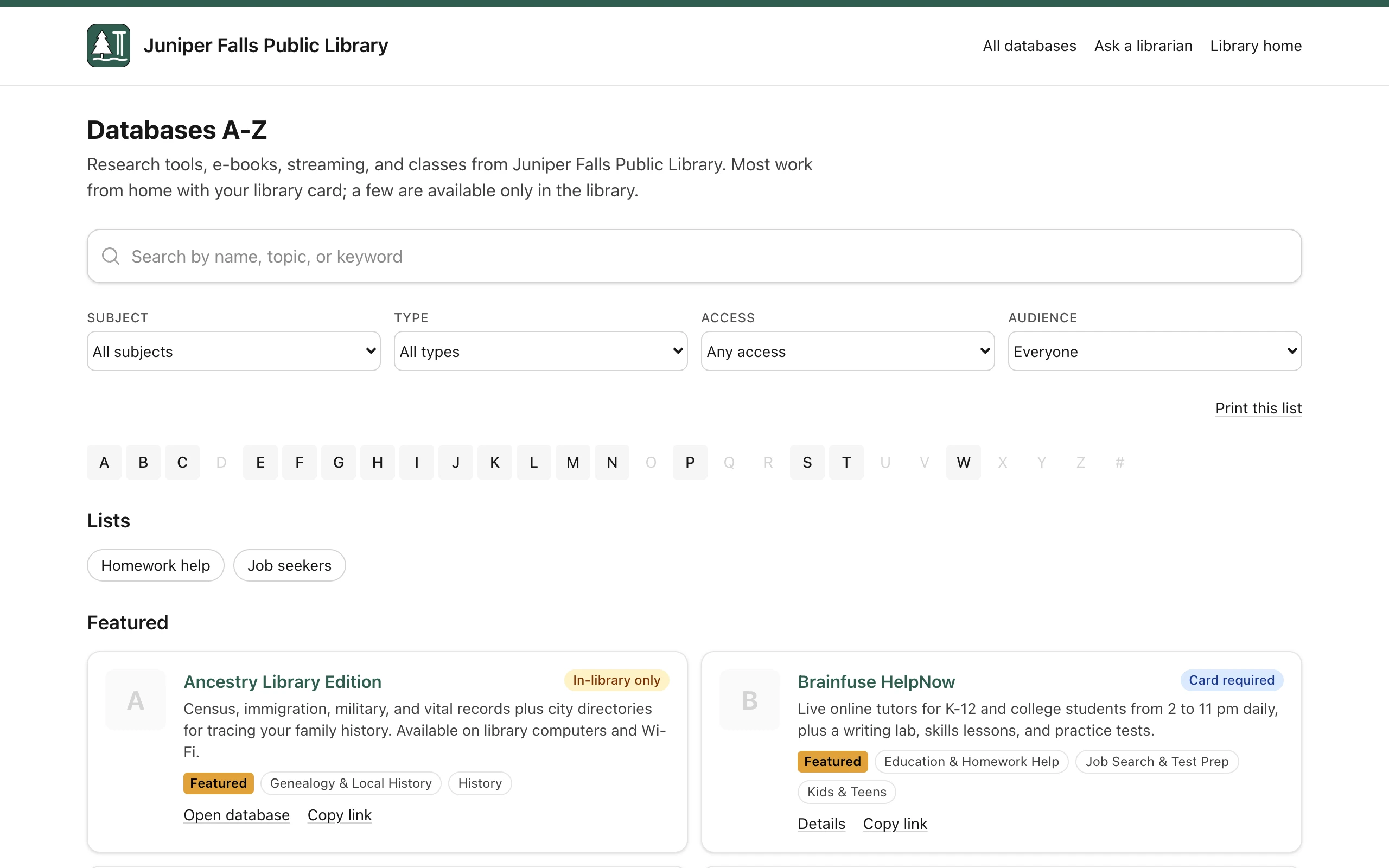
Look at your website analytics and find the A-Z database list. It is probably in the top five pages. For a lot of academic libraries it is in the top two, behind the catalog and ahead of hours.
Now look at how it is maintained. In our experience it is one of three things: a hand-edited HTML page, a spreadsheet somebody exports, or a feature bolted onto a guides platform that was designed for something else. All three share a problem — the list is only as current as the last time someone had an afternoon.
That gap between how important the page is and how it gets maintained is what RefBytes A-Z is for.
Searching, not browsing
The interface convention for these lists is twenty-six letter tabs, which assumes the patron knows the name of the database they want.
Sometimes they do. Often they know they need "something with old newspapers" or "the one my professor mentioned about psychology." Letter tabs are no help at all for that, and the patron either gives up or emails the reference desk — which is a fine outcome for the patron and an expensive one for you.
RefBytes A-Z is full-text searchable across names, descriptions, subjects, and alternate titles. Someone typing "newspapers" finds the newspaper databases whether or not the word "newspaper" is in the title. Someone typing an old product name that got rebranded still lands in the right place, because alternate titles are a field.
The alphabetical browse is still there. It is just no longer the only way in.
Filtering that matches how people ask
Beyond search, entries can be filtered by subject area, resource type, and vendor.
The subject filter earns its place in a specific way: you can link directly to a filtered view. That means a subject guide for the nursing program can link to the nursing databases rather than to the full list with an instruction to scroll. Liaison librarians tend to notice this feature first.
The vendor filter is mostly for you rather than patrons — it is what you want when a vendor has an outage, or when you are working through a renewal and need to see everything from one publisher at once.
Off-campus access that just works
Proxy prefixes are handled per entry rather than being someone's find-and-replace job.
This sounds small and is not. Proxy configuration is one of the most common ways a database list quietly breaks: an entry gets added without the prefix, and it works perfectly for everyone testing it on the building's network and fails for every off-campus patron. Nobody reports it, because the patrons who hit it assume they did something wrong.
Handling it per entry, in one place, means the link behaves the same from a dorm room as from the reference desk.
The parts patrons never see
A database list is also an administrative record, and pretending otherwise is why the information ends up scattered across a shared drive.
RefBytes A-Z tracks trial windows, renewal dates, and vendor and licensing details next to the entry they belong to. When a trial ends, the entry knows. When a renewal is coming, the information is not in an email from eleven months ago.
This is the part that turns the list from a webpage into something closer to a small ERM — not a replacement for a full electronic resource management system if you have one, but considerably better than the spreadsheet most libraries are using instead.
An API, because it is your data
Every institution wants this list in a different place. On the library homepage. In a research guide. In the discovery layer. In a departmental site that IT runs and you do not.
So there is a documented JSON API. Pull the live list into your own website and present it in your own design, or use the hosted public page as it comes. Both read from the same data, which is the point: one edit updates the list everywhere it appears, and the version in the guide cannot drift from the version on the homepage.
Getting your list in, and out
You already have a list. Bringing it in is a spreadsheet import, not a re-typing project.
And you can export it back out whenever you want. We think that should be table stakes for anything holding institutional data, and we say so in writing rather than making you ask.
Who this is for
Honestly: libraries whose database list is a hand-maintained page, and libraries paying for a guides platform mostly to get this one feature.
If you have a full ERM system that already does this and does it well, you do not need us. If your list lives in a spreadsheet that one person exports to HTML, or in a CMS page that nobody has touched since the last vendor change, we would like to show you something better.
Get in touch and we will set up a demo with your actual list rather than our sample data. It is a more useful conversation that way.